Walk onto any job site and you’ll likely see a group of workers gathered in a circle, helmets on, listening to a supervisor read from a crumpled sheet of paper. Five minutes later, the team disperses—most unable to recall a single point from the talk. This isn’t engagement. It’s ritual without purpose.
The problem isn’t the concept of toolbox talks—it’s the execution. Without a quality toolbox talk template, these safety moments become check-the-box exercises. A poor template leads to vague messaging, low participation, and missed hazards. But a well-designed one does the opposite: it sharpens focus, encourages dialogue, and strengthens a site’s safety culture.
A quality toolbox talk template isn’t a one-size-fits-all form. It’s a structured yet flexible framework that ensures consistency while allowing customization for specific tasks, environments, and risks. This guide breaks down what makes a template truly effective and how to implement it across your operations.
What Defines a Quality Toolbox Talk Template?
At its core, a quality template balances structure with adaptability. It’s not just a blank form with fields to fill—it’s a communication tool engineered for clarity, relevance, and action.
Here are the non-negotiable elements of a high-quality template:
1. Clear Purpose Statement Every talk should open with a concise objective. Instead of “Today we’re talking about PPE,” say: “Today’s talk focuses on how improper glove selection increases hand injury risk during welding tasks.”
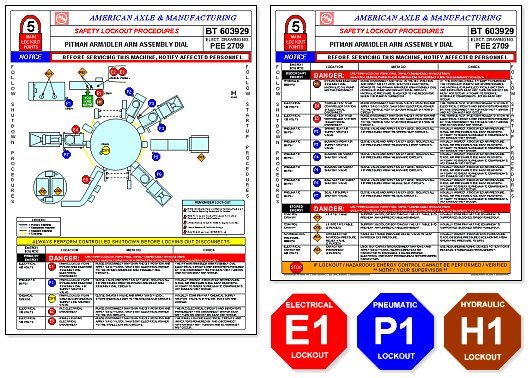
2. Real-World Hazard Link Generic warnings don’t stick. A strong template prompts leaders to tie topics to actual site conditions. Example: “This week, we observed three workers bypassing lockout-tagout during equipment cleaning—here’s why that’s dangerous.”
3. Engagement Prompts A quality template includes questions that spark discussion:
- “Has anyone here seen this hazard before?”
- “What would you do if you noticed a frayed extension cord?”
- These aren’t rhetorical. They require responses and build shared awareness.
4. Space for Sign-Off and Follow-Up Accountability matters. The template should include a sign-in sheet for attendees and a field for supervisors to note corrective actions: - “Replace damaged ladder by Friday” - “Retrain crew on fall protection harness use”
5. Visual or Reference Support
Many templates now include space for photos, diagrams, or QR codes linking to safety data sheets or training videos. A picture of a blocked fire exit hits harder than a verbal description.
Common Mistakes That Undermine Effectiveness
Even with a solid template, execution flaws can derail the value of a toolbox talk. Here are the most frequent pitfalls:
Mistake #1: Reusing the Same Topics Monthly Cycling through the same five topics every quarter breeds complacency. A quality template should support dynamic content based on incident trends, seasonal risks, or upcoming high-risk tasks.
Mistake #2: One-Way Delivery If the supervisor does all the talking, it’s a lecture—not a toolbox talk. The template should force interaction. Example: include a section labeled “Team Input” where workers contribute observations from the field.
Mistake #3: Ignoring Site-Specific Conditions
Using a generic construction template on a chemical plant site ignores critical risks. A quality template includes a field for “Site-Specific Hazards” that must be filled before the talk begins.
Mistake #4: No Follow-Through Discussed a broken guardrail but never fixed it? That erodes trust. The template should have a “Corrective Actions” column with owner and deadline fields—reviewed in the next meeting.
Mistake #5: Poor Record Keeping OSHA doesn’t require every toolbox talk to be documented, but they expect evidence of regular safety communication. Templates should be archived digitally or in binders with date, topic, facilitator, and attendees listed.
Step-by-Step: Building Your Own Quality Template
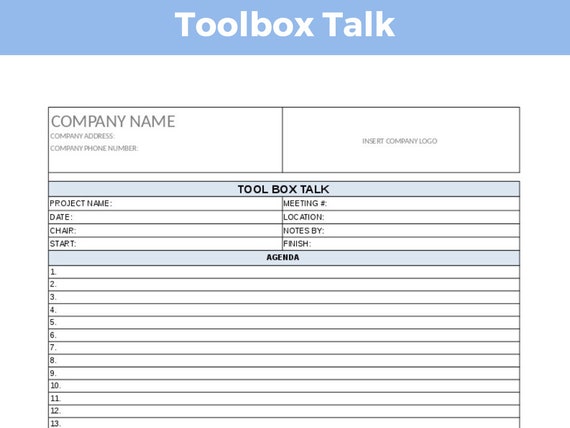
You don’t need expensive software to create a powerful toolbox talk template. Start with this proven structure:
1. Header Section
- Date: Auto-generated or manually entered
- Location/Work Area: Be specific—e.g., “Third-floor HVAC installation”
- Facilitator Name & Role: Ensures accountability
- Attendees: Signature or printed names
2. Topic & Objective Use a fill-in-the-blank format:
Topic: [Hazard Type, e.g., Fall Prevention] Objective: [Specific goal, e.g., Review proper harness anchoring points for roof work]
3. Hazard Description Prompt: “Describe the hazard in plain language and link it to recent site activity.” Example: “Last week, two near-misses occurred when workers carried materials on ladders. This increases fall risk and material drop hazards.”
4. Safety Controls List current protections and any gaps:
- Guardrails installed? Yes / No
- PPE required: Hard hat, gloves, harness
- Training completed? [ ] Yes [ ] No
5. Discussion Questions Include 2–3 open-ended prompts:
- “What’s one time you saw this hazard handled poorly?”
- “How can we improve visibility during night work?”
6. Action Items Table format works best:
| Action | Responsible Person | Deadline | Status |
|---|---|---|---|
| Inspect all ladders | Site Supervisor | 04/10 | Pending |
7. Sign-Off Simple line: “We acknowledge participation in
this safety talk.” [Signatures]
When to Customize Your Template
A static template becomes obsolete fast. Adapt it based on:
High-Risk Tasks Before starting demolition, confined space entry, or live electrical work, use an enhanced version with: - Pre-job risk assessment checklist - Emergency contact list on-site - Equipment inspection log
Incident Response After a near-miss or injury, modify the template to include:
- “What happened” summary (without blaming)
- “Could it happen here?” discussion
- “Immediate changes made” section
Seasonal Shifts Swap in cold-weather or heat stress versions when conditions change. Example: - Summer template adds hydration breaks and rest zones - Winter version highlights frostbite signs and ice removal
New Crews or Contractors Add an “Introductions” section and review site-specific rules. Template includes: - “Name and role” - “One safety rule you always follow”
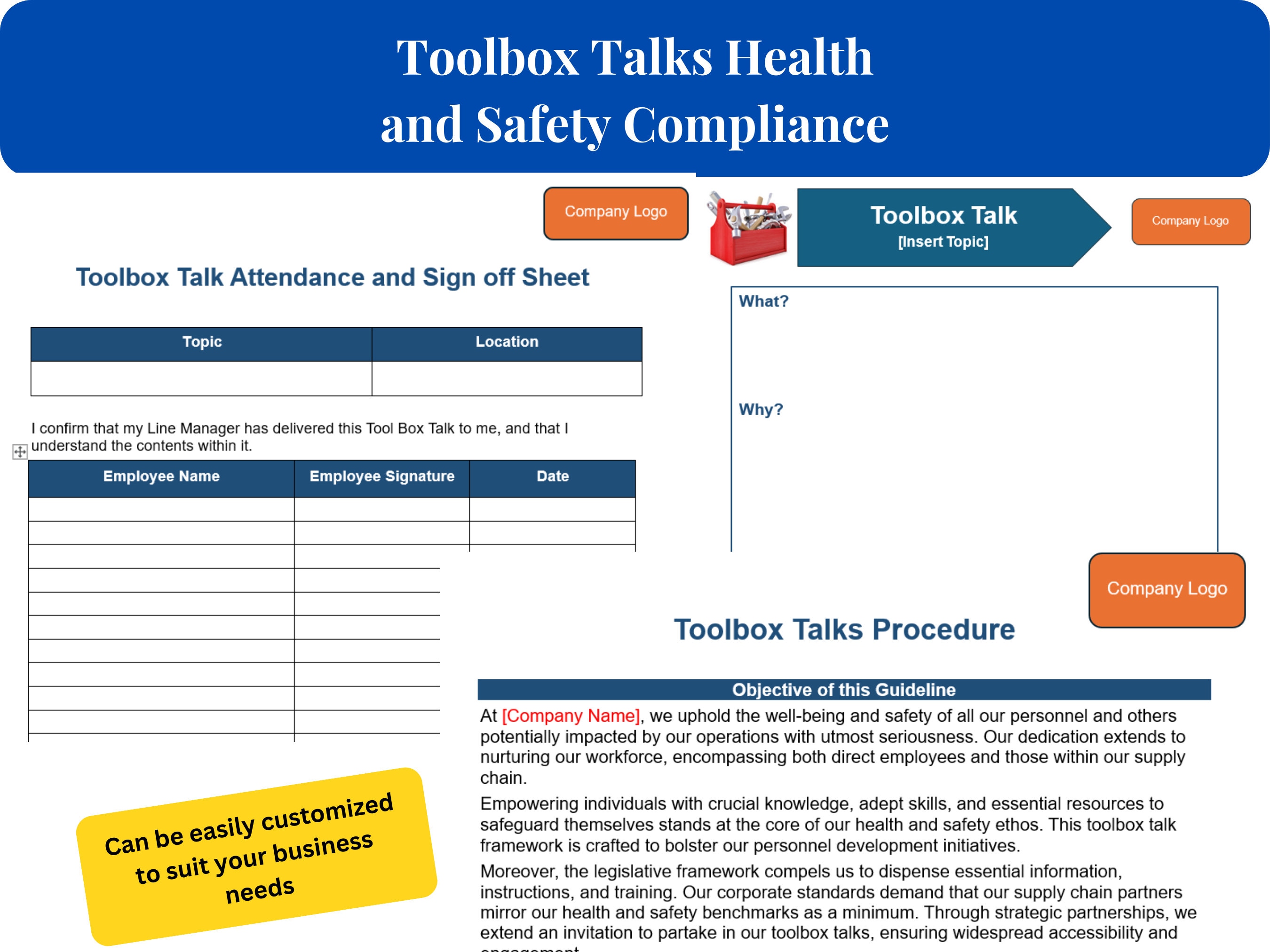
Top 5 Toolbox Talk Template Formats in Use Today
Not all templates are created equal. Here are five proven formats used by safety leaders across industries:
| Format | Best For | Key Features | Limitations |
|---|---|---|---|
| Basic PDF Checklist | Small crews, low-tech sites | Simple, printable, OSHA-aligned | Limited interactivity, hard to track |
| Digital Form (Google Forms, JotForm) | Teams needing remote access | Auto-saves, cloud storage, real-time updates | Requires devices and internet |
| Mobile App Integration | Large contractors, multi-site ops | Photo uploads, GPS tagging, push reminders | Subscription cost, learning curve |
| Whiteboard-Style Template | Visual teams, daily huddles | Encourages live input, drawing hazards | Not easily archived |
| Interactive Slide Deck | Training-heavy environments | Embedded videos, quizzes, animations | Time-consuming to prepare |
The best choice depends on your team’s size, tech access, and risk profile. Many top companies use a hybrid: digital for records, printed version for the field.
Real-World Example: Fall Protection Talk Using a Quality Template
Site: Rooftop solar panel installation Date: April 5 Facilitator: Safety Officer, James Reed
Objective: Ensure all workers use anchor points correctly when working near roof edges.
Hazard Description: Three workers were observed attaching lanyards to unstable metal ducts instead of engineered anchors. This creates fall arrest failure risk.
Controls in Place: - Permanent anchor points installed every 10 feet - Harness inspection tag required daily - Spot checks by supervisor twice per shift
Discussion Questions: - “What would you do if you couldn’t find a proper anchor?” - “Has anyone here ever fallen or nearly fallen from height?”
Actions Taken: - Re-inspect all anchor points by 4/7 (Assigned: Lead Installer) - Conduct hands-on harness demo during morning shift (Assigned: James)
All 8 team members signed off. Follow-up scheduled for next day.
How to Train Teams to Use the Template Effectively
Even the best template fails without proper training. Rollout this way:
- Pilot with Supervisors
- Run a 30-minute workshop showing completed examples. Let them practice filling one out using a real upcoming task.
- Provide a “Do’s and Don’ts” Guide
- Include:
- - ✅ Do: Use site photos in talks
- - ❌ Don’t: Read verbatim from template
- - ✅ Do: Ask for anonymous hazard reports
- - ❌ Don’t: Skip talks during rush periods
- Audit & Feedback Loop
- Randomly review 2–3 talks per week. Give feedback:
- - “Great job linking the topic to last week’s incident.”
- - “Add more open-ended questions next time.”
- Recognize Engagement
- Highlight teams that use the template well in safety meetings or newsletters.
Final Thoughts: Make Safety Conversations Count
A quality toolbox talk template isn’t about compliance—it’s about connection. It turns a routine pause into a meaningful moment where workers don’t just hear about safety, they participate in it.
The best templates are living documents. They evolve with your team, reflect real conditions, and drive real changes. Start simple, enforce consistency, and prioritize dialogue over delivery.
Build your template today. Use it tomorrow. Improve it the day after. That’s how safety cultures are made—not in policy manuals, but in the daily conversations on the ground.
FAQ
What should you look for in Quality Toolbox Talk Template: A Practical Guide for Teams? Focus on relevance, practical value, and how well the solution matches real user intent.
Is Quality Toolbox Talk Template: A Practical Guide for Teams suitable for beginners? That depends on the workflow, but a clear step-by-step approach usually makes it easier to start.
How do you compare options around Quality Toolbox Talk Template: A Practical Guide for Teams? Compare features, trust signals, limitations, pricing, and ease of implementation.
What mistakes should you avoid? Avoid generic choices, weak validation, and decisions based only on marketing claims.
What is the next best step? Shortlist the most relevant options, validate them quickly, and refine from real-world results.




:max_bytes(150000):strip_icc():focal(728x275:730x277)/princess-catherine-prince-william-donald-trump-king-charles-iii-trump-state-visit-uk-windsor-091725-8672599a27214b6f8ffdbb07fd7596e4.jpg)
